|
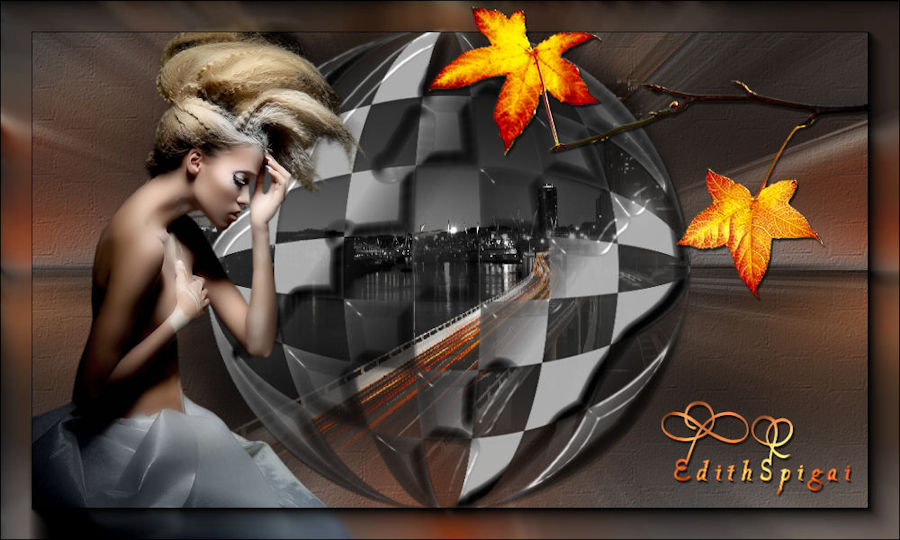 
**TOP
NIGHT IN CITY**

- Efectos
del Psp_9
- Plugin FM Tile Tools
- Plugin Layout Tools (Aquí)
Eye Candy 3.1 > Inner Bevel
Plugin Transparency
- Tubes
- Un Misted
INSTRUCCIONES

Usa la flechita para marcar tu línea
Haz clic en ella y arrástrala adonde quieras
|
|
1. Elige
dos colores de tu Misted y forma un degradado:
Linear / Angle: 0 / Repeats: 0 / invert: marcado
Usé: F ># 0d2051
B > # b0bdde
2. Abre una imagen de 1000X600px y píntala con el degradado.
3- Plugin Layout Tools > B/W v Color Tiling 7/0/128
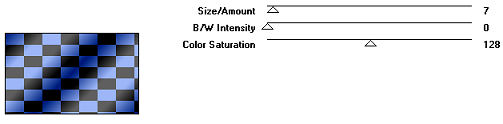
4- Plugin
Transparency > Eliminate Black
5- Effects > Geometric Effects > Circle (Transparent)
6- Effects > Drop Shadow > 4/4/80/8,00
7- Eye Candy 3.1 > Inner Bevel
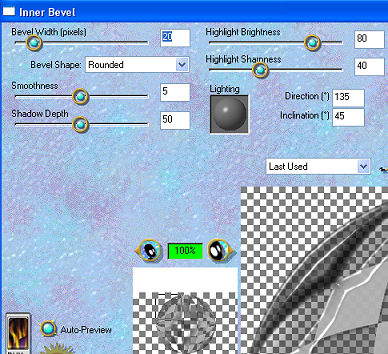
8- Image >
Resize > 90%
9- Adjust > Hue and Saturation > Colorize 255/0
(opcional)
10- Aplica el Misted y colócalo dentro del círculo,
borra lo que sobre
con la herramienta eraser.
11- New Layer > Repite el paso 1 > Selections > Select
All
12- Edit > Copy en el Misted > Paste Into Selection > Select
None.
13- Effects > Image Effects > Seamless Tiling > Side by
Side
a continuación repite el efecto cambiando a Default.
14- Adjust > Blur > Radial Blur: Zoom - 60/0/0/10
Elliptical desmarcado.
15- Plugin FM Tile Tools > Blend Emboss.
16- Effects > Texture Effects > Texture:
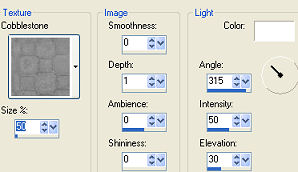
17- Repite
el paso 15
18- Inserta los tubes armoniosamente, usa Drop Shadow a
tu gusto.
19- Layers > Merge Visible.
20- Adjust > Brightness and Contrast > brightness/contrast
> 15
21- AAA Frames > Foto Frame > 35/0/0/0/0/0/0/100
22- Layers > Merge > Merge All
23- Firma y guarda en jpeg.
** Tutorial creado el 11/09/2012 por Edith Spigai **
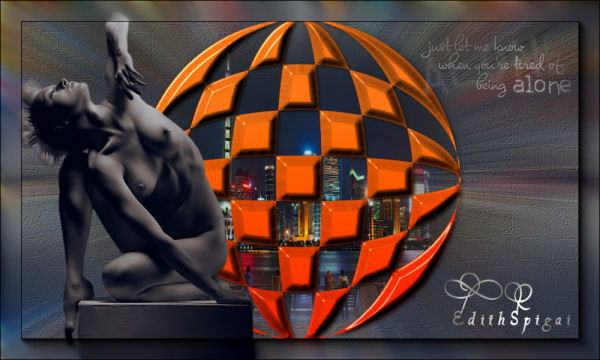
Créditos:
Misted: LB Tubes
Tubes: Crealine - Mou
- Ana Ridzi
Art y Formato: EdithSpigai
Copyright ©2016/2026 - Web Design - NaiseM®
 |