|
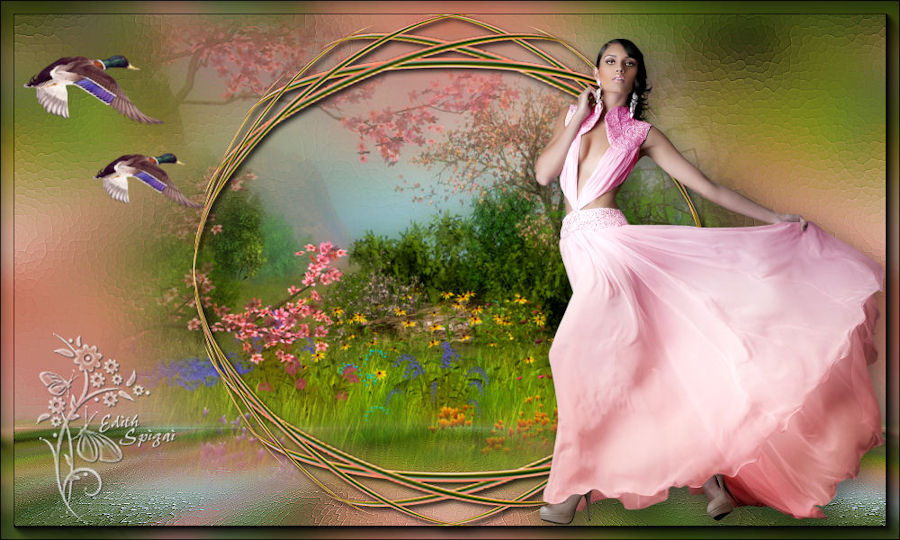 
** TOP
FLOWERS IN SEPTEMBER**
MATERIAL
-PSP_9 Effects
-Plugin Pixellisation
- Plugin Mura's Meister
-Plugin Flaming Pear
-Plugin > AAA Frame
-One Tube
-One Misted
INSTRUCTIONS

Use the little arrow to mark your line
Click it and drag it wherever you like
|
|
1-Choose a Misted of your preference - Edit > Copy
(to make up the base of the Top)
2-Open a new image of 1000 x 600
fill it with a Linear Gradient - Angle=0 - Repeat=1
Invert unchecked, made up of two colors from your image.
3- Selections > Select All
Edit > Paste > Paste Into Selection
Selections > Select None
4- Effects > Image Effects > Seamless Tiling > Default
5-Adjust > Blur > Gaussian Blur > 20.00
6- Plugin Pixellisation > Cristallisation > 15
7- Enhance More
8- Duplicate this layer 2 times and set the copies aside.
9- On raster 1: Effects > Geometric Effects > Perspective
Horizontal > 100 > Transparent.
Image > Mirror
Repeat the perspective horizontal effect again with the
same settings.
10- Plugin Mura's Meister > Copies > Cards
8/50/30/-15/30/-40/30/0/100/0
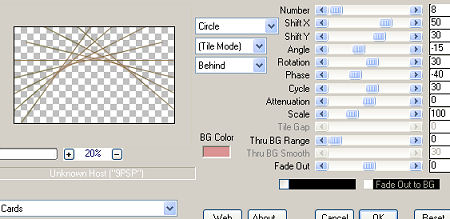
11-
Plugin Flaming Pear > Flexify_2
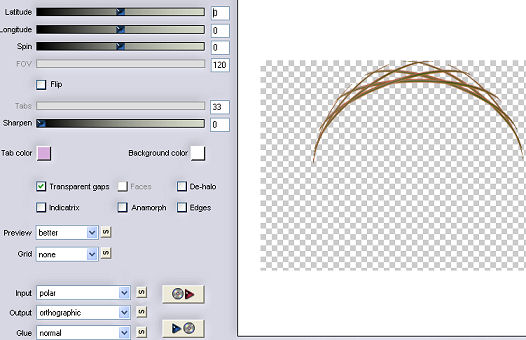
12-
Duplicate this layer > Image > Flip
Layers Merge Down
13- Image > Resize > 95%
14- Sharpen More
15- Effects > 3D Effects > Drop Shadow > 4/4/80/8
16- Duplicate this layer > Layers Merge Down
17- Adjust > Brightness and Contrast > Brightness and
Contrast > 20
18- Layers > Arrange > Bring to Top
(set this layer aside until the end of the work.)
19- Turn on the visibility of the Layer > Copy (2) of Raster
1:
Apply the Plugin Mura's Meister >
Perspective Tiling > 80/0/0/25/0/0/100/255
20- With the magic wand select the transparent part,
Selection Modify > inside/outside feather > Outside 25
Delete 4 times > Select None.
21- Turn on the visibility of the Layer Copy Raster 1 >
Insert your misted, as in item 3.
Layer positions
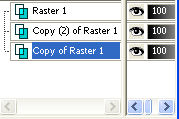
22-
Merge Visible.
23- Plugin > AAA Frame > Foto Frame > Default with Width
> 15
24- Apply the tube and decorate as you prefer.
25- Layers > Merge > Merge All
26- Sign it
27- Save the file as jpg
Another Example...
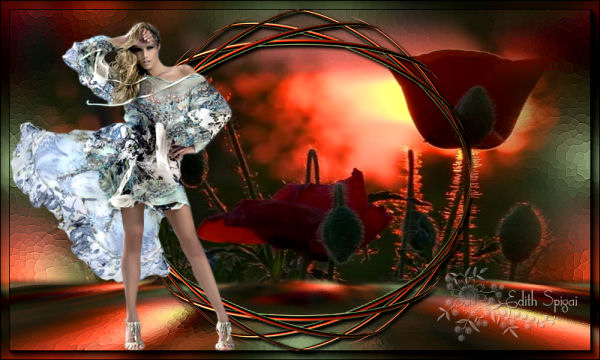
Tube:
Nara Pamplona
Misted: LB Tubes

**
Tutorial created by Edith Spigai **
SP/04-09-2014
Credits:
Tube: By Tocha
Misted: By Guismo
Tutorial and Formatting: EdithSpigai
Copyright ©2016/2026 - Web Design - NaiseM®

|