|
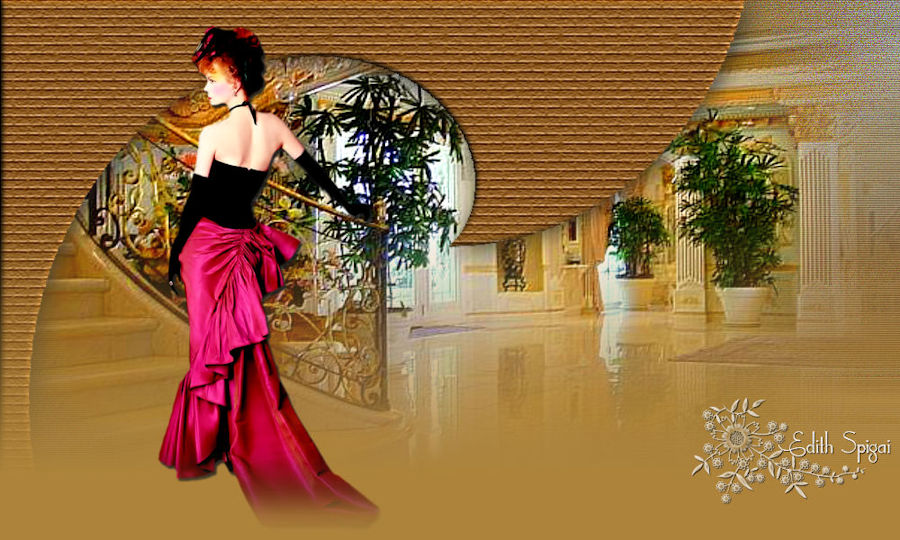 
**TOP
ELEGANCE**

PSP (version used: PSP9)
Plugin VanDerLee > UnPlugged-X...
Plugin Texture
2 Tubes
One Mask (FadeBottom)
Instructions

Use the little arrow to mark your line
Click it and drag it wherever you like
|
|
1- Choose a Tube, open it in the Workspace, Edit >
Copy, minimize it and set it aside.
2- Open a New Image --Transparent of 1000 x 550 px and
fill it with a Linear Gradient > Angle 0 > Repeats 0.
3- Selection > Select All
4- Edit > Paste Into Selection > Selections > Select None
5- Effects > 3D Effects > Seamless Tiling -- Default
(Corner/Bidirectional/Linear - T=50/Others=00)
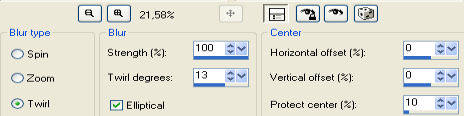
6- Adjust > Blur > Radial Blur
7-
Effects > Edge Effects > Enhance More
8- Plugin VanDerLee > UnPlugged-X... > Pixel Distort >
(with the settings that open)
9- Adjust > Sharpness > Sharpen
10- Layers > Duplicate
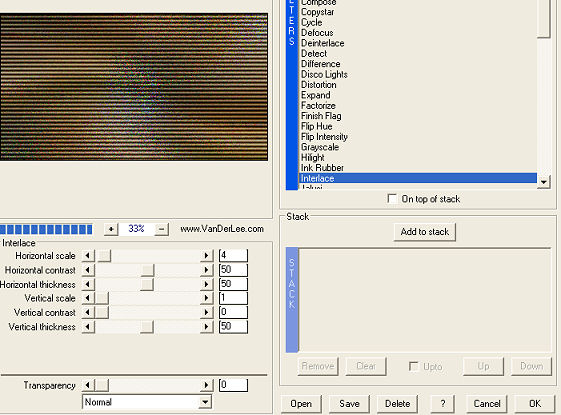
11- Select Raster 1 - apply Plugin VanDerLee >
UnPlugged-X >>
Interlace >> 4/50/50/1/0/50 (set this layer aside)
12- On the
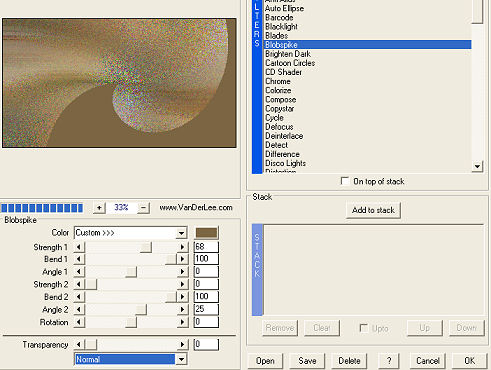
layer copy >> Plugin VanDerLee > UnPlugged-X >>
Blobspike >> 68/100/0/0/100/25/0
13- Image
>> Mirror - Image >> Flip
14- With the Magic Wand tool, select this layer >>
Selections >> Invert and delete.
Selections >> Invert again:
15- Apply the Plugin Texture >> Texturizer
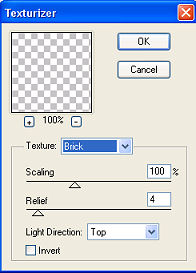
16-
Effects >> 3D Effects >> Inner Bevel:
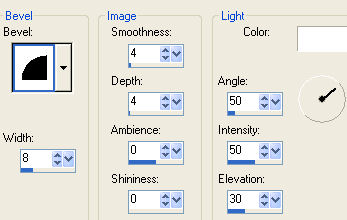
17-
Effects > 3D Effects > Drop Shadow -- 4/4/86/40
18- Layers > Merge > Merge Visible
19- Apply a mask of the FadeBottom type.
Layers > Delete -- Layers > Merge > Merge Group
20- Add a new raster layer > fill it with a color that contrasts with your work and
Layers > Arrange > Move Down
21- Activate the tubes you set aside and Edit > Paste As New
Layer on the Top image.
22- Layers > Merge> Merge All
23- Sign it
24- Save the file as jpg
**Tutorial created by EdithSpigai**
SP/ 04-05-2010

Credits:
Tubes: By Luz Cristina.
Tutorial and Formatting:
EdithSpigai
Copyright ©2016/2026 - Web Design - NaiseM®

|