|
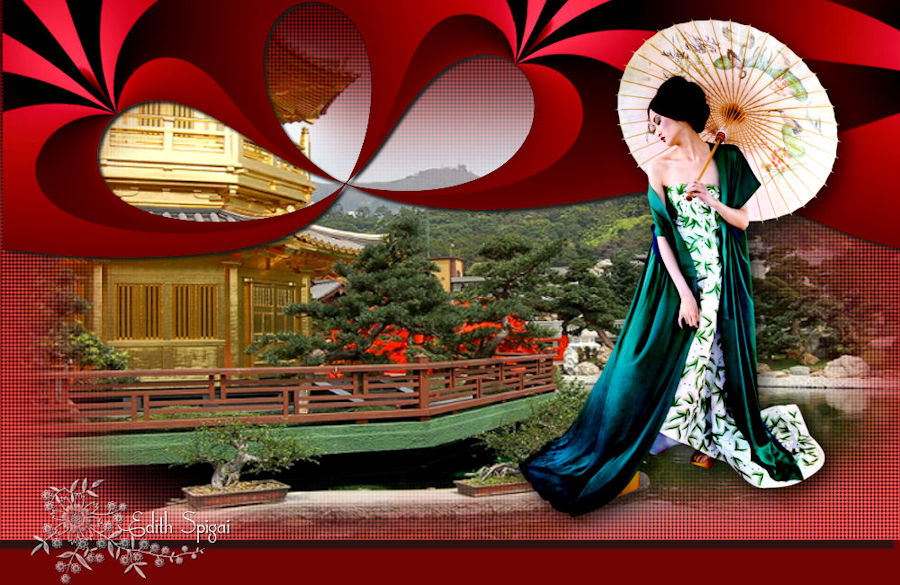 
TOP COLORS
OF THE ORIENT
MATERIAL
-PSP_9 EFFECTS
-Plugin Flaming Pear > Flexify 2
-Plugin Lenk > Lenk's Trouble
-One Main Tube
-One Misted for the composition
INSTRUCTIONS
Use the little arrow to mark your line
Click it and drag it wherever you like
|
|
1- Open a new image of 1000 x 600, fill it with a
Linear Gradient made of two colors
compatible with your work with these settings:
Angle= 0 > Repeats= 0 > Invert= checked.
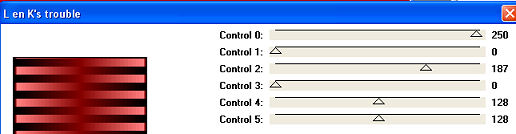
2- Plugin Lenk > Lenk's Trouble 250/0/187 -(0/128/128)
optional colors
3- Image >
Resize > 80%
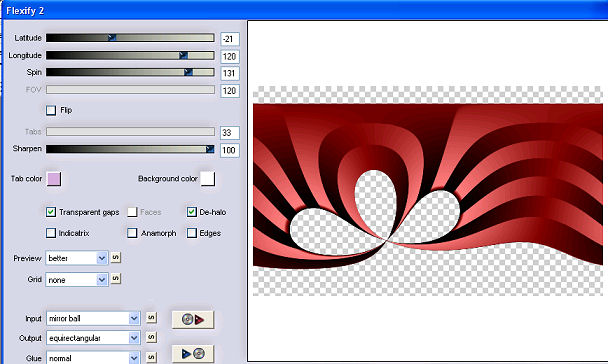
4- Plugin Flaming Pear > Flexify 2 (with the settings in the screenshot.)
5- Effects
> Image Effects > Offset > (0)/(235) - Custom and
transparent checked.
6- Effects > Drop Shadow > 3/3/100/5
7- New layer > Arrange > Send to Bottom > fill with
the gradient from step 1.
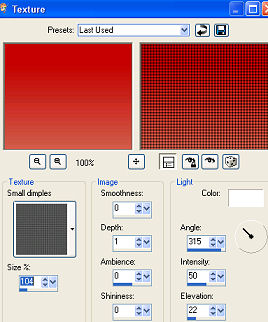
8- Effects > Texture Effects > Texture:
9- New
layer > Select All > Paste Into Selection the chosen Misted,
positioning it to your taste.
10- Apply the Main Tube > Drop shadow to your taste.
11- Merge Visible
12- Image > Canvas Size with the following settings:
Width= 1000 and Height= 600
Bottom= 50 / Top, Left and Right= 0
13- Layers > New Raster Layer
Layers > Send to Bottom
Fill with a color picked from the work.
14- To finish your work, apply Drop Shadow >
10/-7/80/4
15- Layers > Merge > Merge All
16- Sign and save as jpeg.
** Tutorial created by Edith Spigai **
SP/05-10-2011

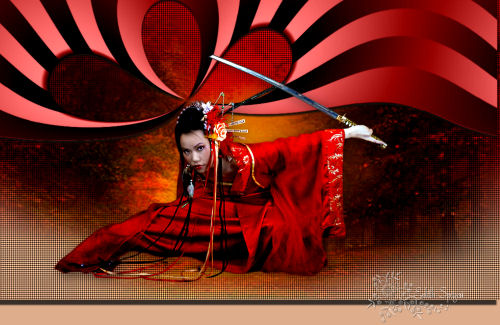
Credits:
Tube: Tocha_23578
Misted: By Luz Cristina
Creation and Formatting: EdithSpigai
Copyright ©2016/2026 - Web Design - NaiseM®

|