|
**TOP
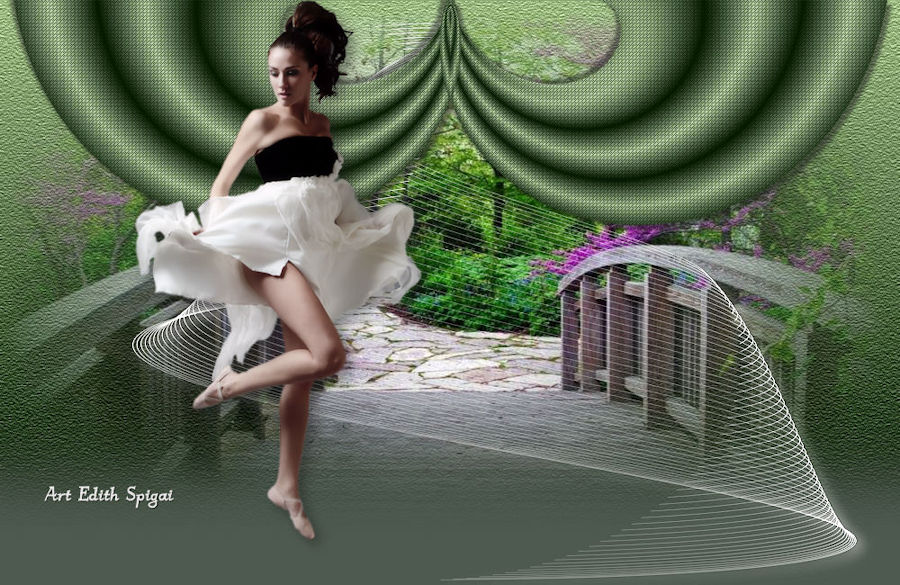
CAMINOS DE LA NATURALEZA**
MATERIALES
-EFECTOS DEL PSP_9
-Plugin Flaming Pear > Flexif_2
-Plugin DragonFly > Sinedots_II
-Plugin Texture > Texturizer
-Un tube principal
-Un misted de composición
-Una máscara
INSTRUCCIONES
Usa la flechita para marcar tu línea
Haz clic en ella y arrástrala adonde quieras
|
|
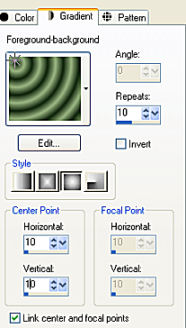
1- Abrir una nueva imagen de 1000 x 600 y rellenarla con un degradado formado por dos colores
compatibles con tu trabajo, con estas configuraciones.
2-
Effects > Geometric Effects >Perspective - Horizontal >
100 - Transparent.
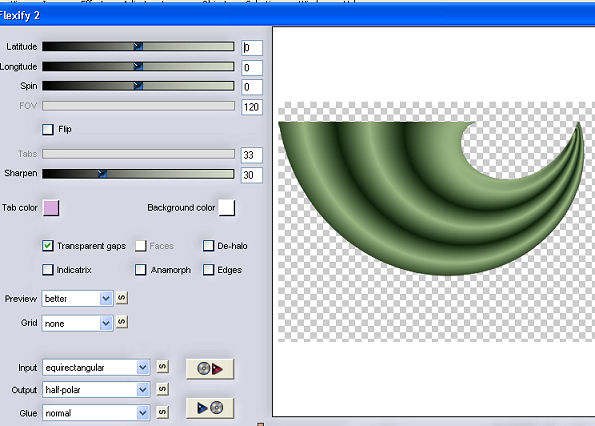
3- Plugin Flaming Pear > Flexif_2 (con la configuración de la captura.)
4-
Image > Resize > 65%
5- Effects > Image Effects > Offset > (-160) - (138) -
Custom y Transparent marcados.
6- Layers > Duplicate > Image Mirror
7- Layers > Merge Down
8- Effects > Reflection Effects > Rotating Mirror -
0/180 - Repeat
9- Effects > Texture Effects > Weave > 1/1/100
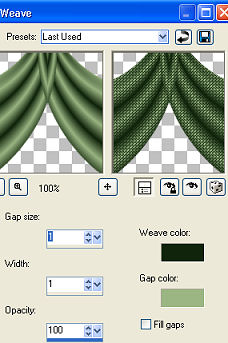
10-Effects
> Drop Shadow > 5/5/50/5,00 - repetir en negativo
11-Adjust > Brightness and Contrast > Clarify > 5
12- Nueva capa > Arrange > Send to Bottom > rellenar
con un degradado
Linear - 0/0 invert marcado.
13- Plugin Texture > Texturizer > Sandstone
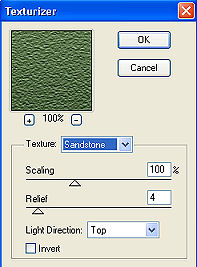
14-
Adjust > Sharpen
15- Nueva capa > Select All > Paste Into Selection del
Misted elegido,
acomodándolo a tu gusto.
16- Adjust > Brightness and Contrast > Brightness and
Contrast
con la configuración que prefieras.
17- Layers > Merge Down
18- Aplicar una máscara de degradado > Merge Group > Dos veces.
19- Image > Canvas Size con las siguientes configuraciones:
Width= 1000 y Height= 650
Bottom= 50 / Top, Left y Right= 0
20- Layers > New Raster Layer
Layers > Send to Bottom
Rellena con un color tomado de tu trabajo.
21- Nueva Capa > Plugin DragonFly > Sinedots_II
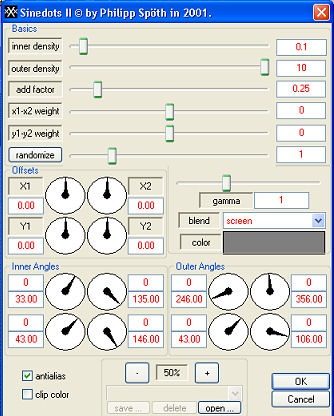
22-
Adjust > Sharpen
23- Effects > Drop Shadow > 8/6/50/35,00 > (Color
blanco)
24- Duplicar la capa de Sinedots (opcional)
25- Merge Visible
26- Aplicar el Tube Principal > Drop Shadow 8/6/50/35,00
27- Adjust > Sharpness > Unsharp Mask > 1,00/45/3
28- Layers > Merge > Merge All
29- Firma y guarda en jpeg.
Otro ejemplo
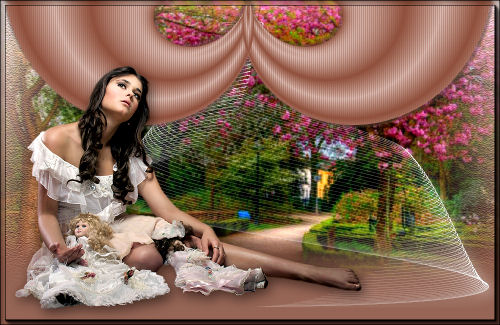

**
Tutorial readaptado y elaborado por Edith Spigai **
SP/18-04-2011 - 25/04/2014
Créditos:
Tubes: By Ana Ridzi
Misteds: K@rine Dre@ms / LB Tubes
Creación y formato: EdithSpigai
Copyright ©2016/2026 - Web Design - NaiseM®

|