|
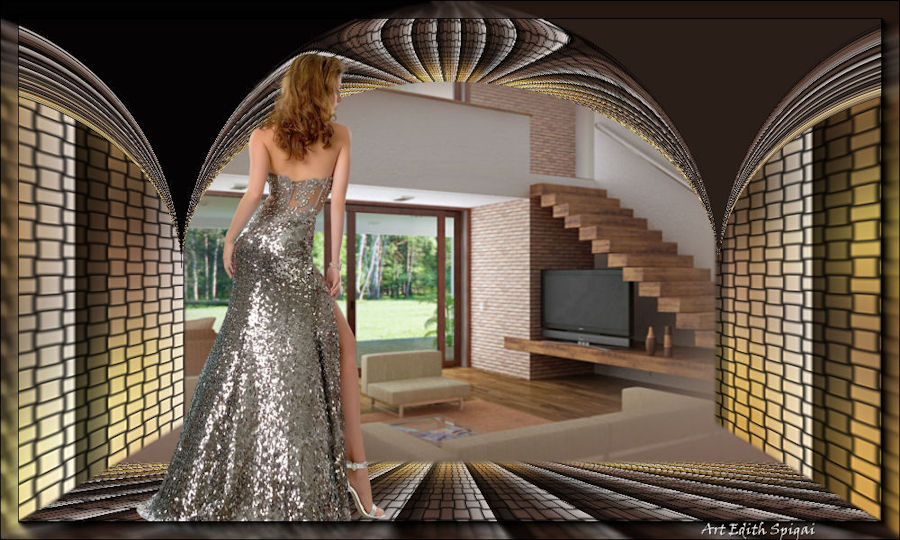 
Top
Arcada

MATERIALS
-PSP_9 Effects
- Plugin Mura's Meister
Plugin Flaming Pear
PLUGIN GRAPHIC PLUS
-a tube
-A Misted
INSTRUCTIONS

Use the little arrow to mark your line
Click it and drag it wherever you like
|
|
1- Open an
image of your choice - Edit > Copy
(to compose the base of the Tag)
2- Open a new image of 1000 x 600
fill it with a Linear gradient Angle=0 - Repeats 1
Selections > Select All
Edit > Paste > Paste Into Selection
Selections > Select None
3- Effects > Image Effects > Seamless Tiling > Default
4- Adjust > Blur > Gaussian Blur > 50,00
5-PLUGIN GRAPHIC PLUS > Panel Stripes > 36/178/122
6- PLUGIN GRAPHIC PLUS > Weaver > 22/57
7- Duplicate the layer and set Raster 1 aside
8-On the copy of the layer: Resize 60%
9- Flaming Pear > Flexify_2
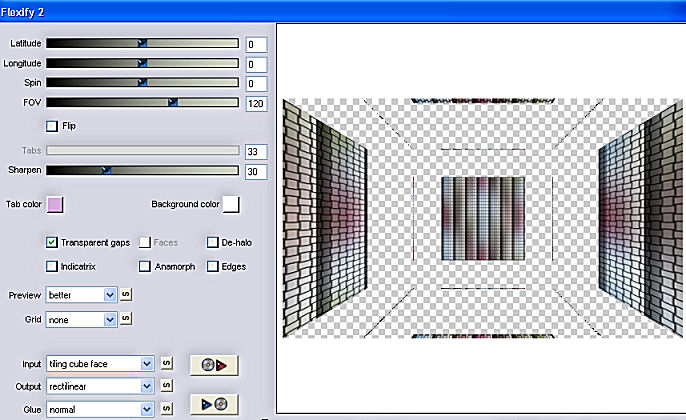
10- Activate the
selection tool in rectangle,
select the middle parts and delete them, then use the eraser
to finish,
so as not to leave any marks.
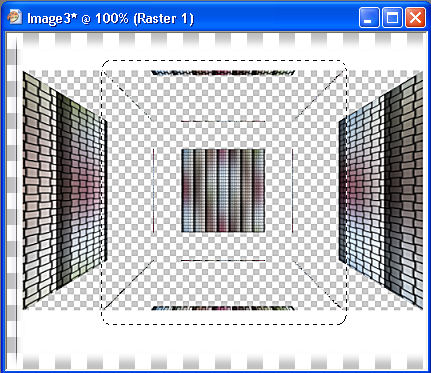
11- Go back to Raster
1 and apply:
Plugin Mura's Meister > Perspective Tiling
80/0/0/15/0/0/100/255
12- Duplicate this
layer > image flip
13- Effects >
Geometric Effects > Circle > Repeat
13a- "Optional:
select the upper part of the effect with the Magic Wand and
delete it.
(fill with the gradient from step 16)
-As in the second example of the Top below."
14- Close all the
layers, leaving Raster 1 (perspective tiling) active
15- With the magic
wand select the transparent part,
Selection modify > inside/outside feather > Outside 25
Delete 4 times > Select None.
16- New layer >
arrange > send to bottom
fill it with the gradient from step 2 > and insert your misted.
17- Paste your tube,
position it as you like.
18- Merge Visible
19- AAA Filters >
Foto Frame > 20/0/0/0/0/0/0/100
20- Sign it and save
as jpeg.
**
Tutorial created by Edith Spigai **
SP/06-02-2015
by Edith Spigai
Credits:
Misteds: Min@
Tubes: By Min@
Tutorial: EdithSpigai
Copyright ©2016/2026 - Web Design - NaiseM®
 |