|
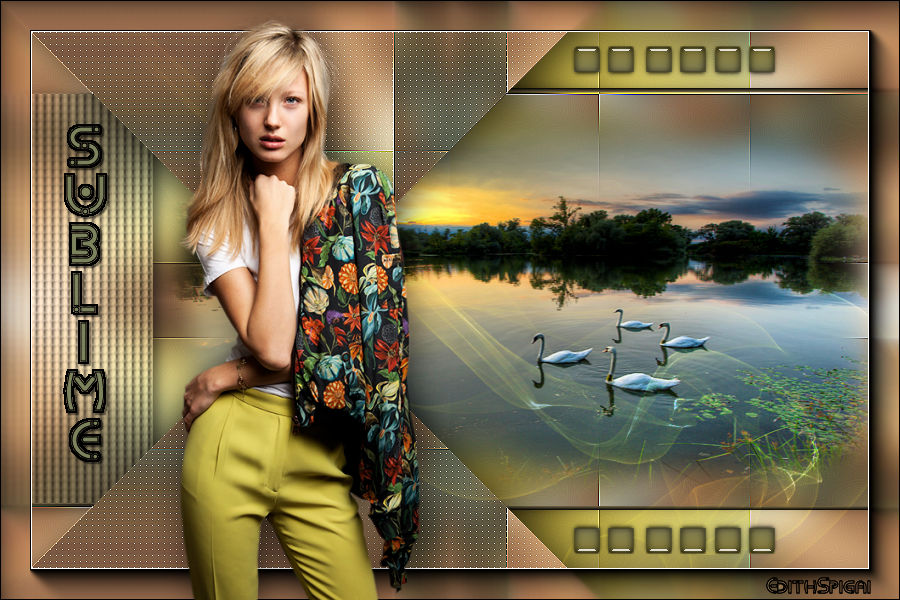 
**SUBLIME**

Efectos del PSP_X8
Plugin Carolaine and Sensibility
Plugin Simple > Pizza Slice Mirror
Plugin VM Distortion > Vision Impossible
Plugin AAA Frames > Foto Frame
Tube/Misted
Decos/Texto
INSTRUCCIONES

Usa la flechita para marcar tu línea
Haz clic en ella y arrástrala adonde quieras
|
|
1- Abre la imagen transparente de 900 x 600.
2- Edit Copy en el tube elegido.
3- Select All y Paste into selection > Select > None
4- Layers > Merge All > Promote Background layer
5- Effects > Image Effects > Seamless Tiling > Default
6- Adjust > Blur > Gaussian Blur > Radius = 25,00
7- Plugin VM Distortion > Vision Impossible
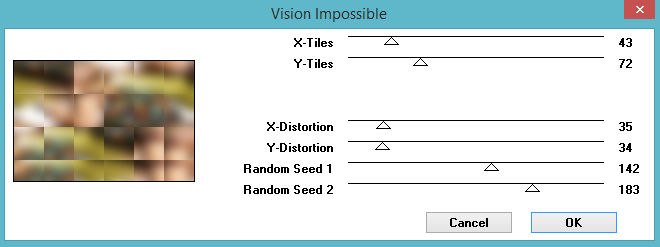
8- Plugin Simple > Pizza Slice Mirror
9- Effects > Enhance
10- Selections > Load/Save Selection > Load Selection
From Disk > Seleção_1
11- Layers > Promote Selection to Layer
12- Plugin Carolaine and Sensibility > CS_Dots 128/3/2 -
(2 veces)
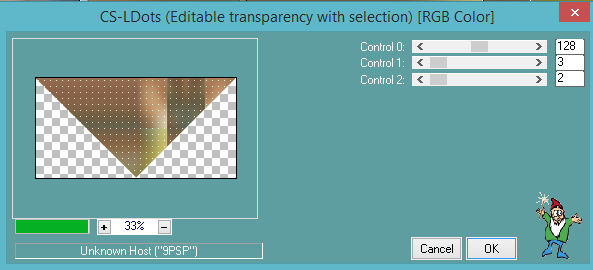
13- Adjust > Sharpen
14- Layer Duplicate > Image Mirror Vertical (Flip)
15- Layers > Merge Down
16- Effects > Drop Shadow > 5/5/50/20 en color negro
#000000.
17- Activa la raster 1 > Selections > Load/Save Selection >
Load Selection From Disk > Seleção_2
18- Layers > Promote Selection to Layer
19- Adjust > Blur > Gaussian Blur > Radius = 25,00
20- Effects > Texture Effects > Texture
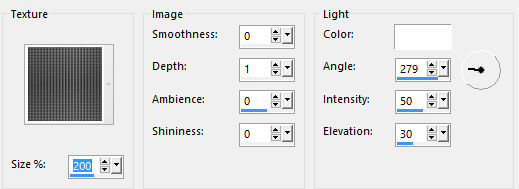
21- Effects > Enhance
22- Effects > 3D Effects > Chisel
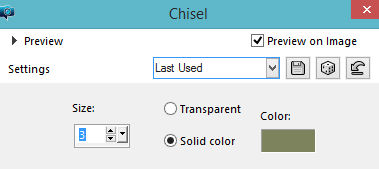
23- Effects > Drop Shadow > 5/5/50/20 en color negro
#000000.
Select > None
24- Activa la raster 1 > Selections > Load/Save Selection >
Load Selection From Disk > Seleção_3
25- Nueva layer > paste into selection en el paisaje de tu
elección.
26- Effects > 3D Effects > Chisel > Size 5
Select > None
27- Copia el Deco_Sublime y colócalo como en el modelo.
28- Layers Duplicate > Image > Mirror Vertical (Flip)
29- Layers > Merge Down
30- Aplica el texto y coloréalo > colócalo como en el modelo.
-Usé la fuente Kharnorric (adjunta), apliqué chisel y Drop
Shadow
31- Copia el Deco_2_Sublime y colócalo como en el modelo.
32- Layers > Blend Mode > Lighten
33- Merge Visible
34- Plugin AAA Frames > Foto Frame (2 veces)
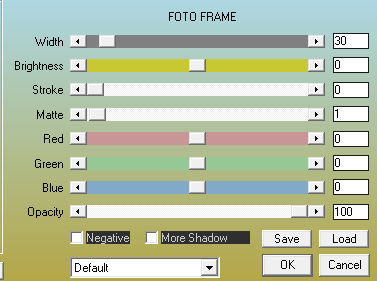
35- Aplica el tube principal y finaliza tu trabajo.
36- Adjust > Brightness and Contrast > Brightness/Contrast
> (-12) /(10)
37- Firma y guarda en jpeg.
** Tutorial elaborado en São Paulo_Brasil_29/11/2018 por
Edith Spigai **
Créditos:
Tube:LB Tubes
Misted: By anna. br
Tutorial: Edith Spigai
Copyright ©2016/2026 - Web Design - NaiseM®

|