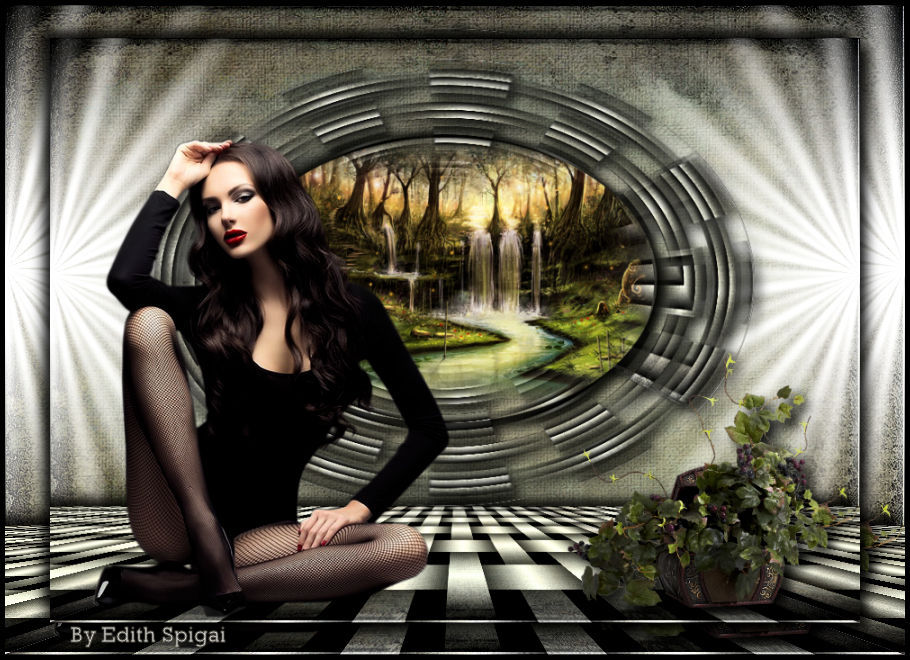
|
|
**STARMAKER**

-Efeitos do PSP_X8
-Plugin VM Natural
-Plugin Transparency
-Plugin Mura's Meister
Background JH_Bachgroud_543 (Anexado)
Seleção > Starmaker_1_Edith (Anexada)
-Tubes e Misted
ROTEIRO
|
1- Abrir seu Background JH_Bachgroud_543 > Edit Copy.
2- Abra uma Nova Imagem Transparente de 900 x 650 pxs.
3- Select All > Paste Into Selection do Background do item 1
Altere a coloração de acordo com as cores de sua imagem.
4- Layers > Promote Background Layer
5- Layers Duplicate 3 (três vezes)
6- Ative a Copy (2) of Raster 1 > Plugin VM Natural > Weave No Distortion
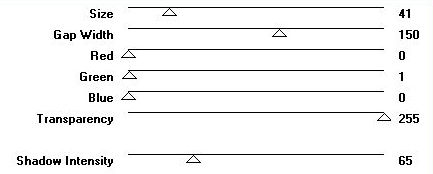
7- Plugin Transparency > Eliminate Black
8- Adjust > Sharpen
9- Image > Resize 70%
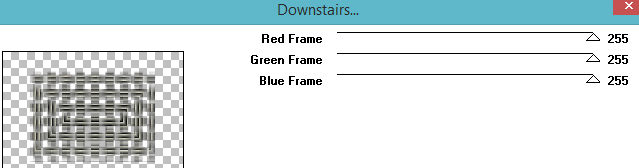
10- Plugin VM Natural > Downstairs
Altere estas configurações de acordo com as cores de suas imagens.
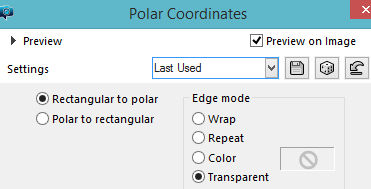
11- Effects > Distortion Effects > Polar Coordinates
12- Layers > Duplicate > Image > Mirror Vertical (Flip)
13- Layers > Merge Down
14- Image > Resize 85%
15- Selections > Load/Save Selection > Load Selection From Disk >
Starmaker_1_Edith
16- Copy em um Misted de sua escolha e Paste Into Selection > Select None
17- Effects > Drop Shadow > -8/-8/80/20
18- Ative a Layer da Copy of Raster 1 > Plugin VM Natural > Weave No Distortion
Mesma configuração do item 6
19- Plugin Mura's Meister > Perspective Tiling > 80/0/0/20/0/0/100/255
20- Effects > Drop Shadow > -8/-8/80/20
21- Ative Raster 1 > Plugin VM Natural > Starmaker
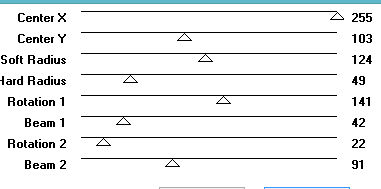
22- Ative Raster 1 > Plugin VM Natural > Starmaker
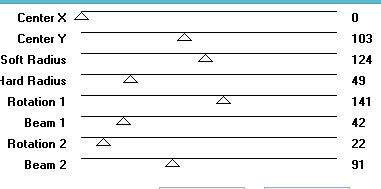
23- Adjust > Sharpen
24- Ative a layer Copy (2) of Raster 1 > Effects > Image Effects > OffSet > 0/40
- Custom e Transparente marcados.
25- Aplique seus tubes usando Drop Shadow
26- Layers > Merge Visible > Edit > Copy
27- Image > Resize > 90%
28- Selecione com o Magic Wand a parte transparente > Paste Into Selection.
29- Selections > Invert > Effects > Drop Shadow > 8/8/80/20 - repetir em
negativo. Select > None
30- Image > Add Borders > 5 na cor preta.
31- Adjust > Brightness and Contrast > Brightness/Contrast > -30/15
32- Assine e salve em jpeg.
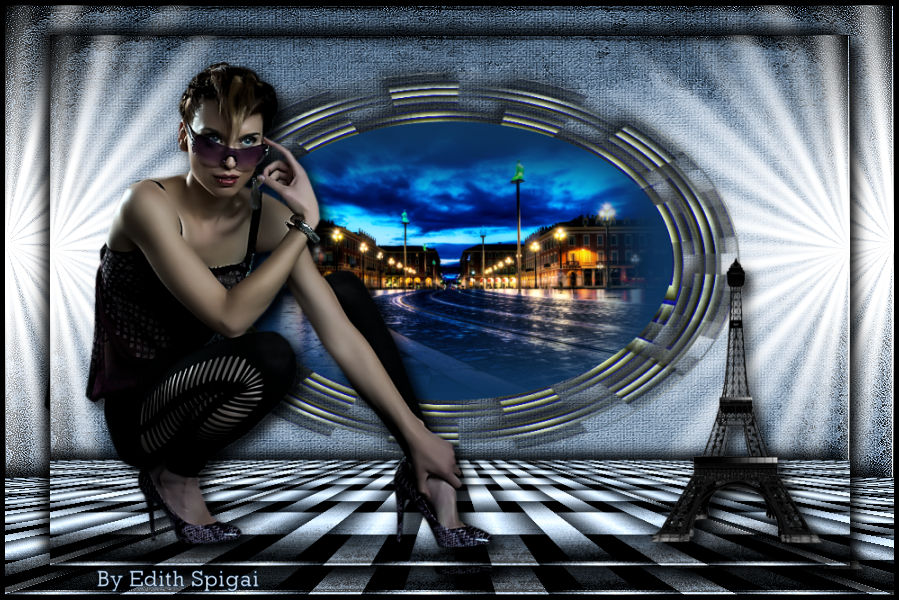
** Tutorial Elaborado em São Paulo_Brasil_16/07/2017 por Edith Spigai **
CRÉDITOS:
Tube: By LB Tubes
Misted: By Mina
Vaso: Grisi
Tutorial: Edith Spigai

Copyright ©2016/2026 - Web Design - NaiseM®