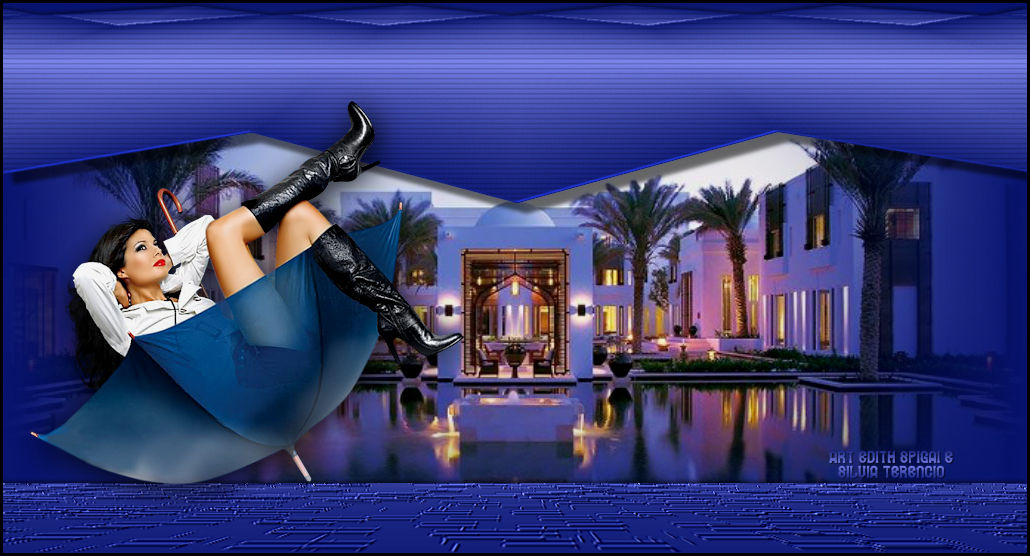
**TOP EXTRAVAGANCE**


MATERIAL


-PSP_X7 EFFECTS

-Plugin MuRa's Meister

-A Main Tube

-A Landscape Misted

Selection (HERE)


INSTRUCTIONS

Little arrow
Use the little arrow to mark your line
Click it and drag it wherever you like


01. Choose two colors from your tube and make a gradient: Linear / Angle: 0 / Repeats: 1
(you can also use a gradient you have in your gradients folder)


02. Open a new 1024X550px image and paint it with the gradient


03. Effects / Geometric Effects / Perspective - Horizontal:
50 / Transparent


04. Duplicate
Image Mirror

Blend Mode: Darken

Merge Down


05. Effects / Geometric Effects / Perspective - Vertical:
80 / Wrap


06. Image Flip


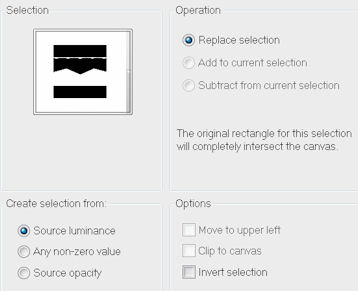
07. Selections / Load/Save Selection / Load Selection From Disk:

 top_4hands_silterencio


08. Press Delete 2 times
Select None


9. With the Deform Tool raise the figure to the top with height at 200.


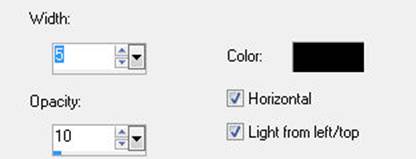
10. Effects > Texture Effects > Blinds

11. User Defined Filter > Emboss_3


12. Drop Shadow > 10/10/50/5,00


13. Drop Shadow > -2/-2/50/5,00


14. New Layer > Fill with Linear gradient / Angle: 0 / Repeats: 1 > Invert checked.


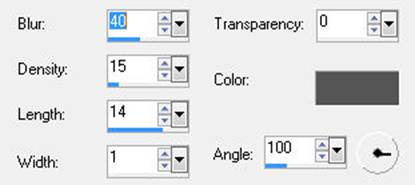
15. Effects > Texture Effects > Straw Wall


16. Plugin MuRa's Meister > Perspective Tiling > 67/63/0/15/0/0/100/255


17. User Defined Filter > Emboss_3


18. Effects > Drop Shadow > -2/-2/50/5,00


19. New layer > Arrange > Send to Bottom > fill with a solid color.


20. New Layer > Select All > Paste Into Selection of the chosen Misted,

positioning it to your liking.


21.  Adjust > Brightness and Contrast > Brightness/Contrast >  -10/0


22. Layers > Merge Down


23. Apply the Main Tube > Drop Shadow to your liking.


24.  Layers > Merge > Merge Visible


25. Image > Add Borders > 3 pxs #000000 


26. Sign it, save as JPG.


**Tutorial created by Edith Spigai and Silvia Terêncio **


SP/28-02-2012

Re-edited on 19/07/2016 


All rights reserved.

Altering, fully or partially copying, or publishing on Sites or Blogs is prohibited,

except with the prior authorization of the authors.


Credits:

Tube: By Tony Chavarria_TOCHA

Misted: LB Tubes

Tutorial: Silvia Terencio and EdithSpigai

Art and Formatting: EdithSpigai
 

Copyright ©2016/2026 - Web Design - NaiseM®

Back


🦋 Protected content  © Edith Spigai • Web Design NaiseM